
Post Name


1. Why this happens and why you must act fast


Losing car keys while travelling is more common than you might assume. Whether it’s slipping out of a beach bag, leaving them at a café or dropping in transit, your vehicle becomes vulnerable. In addition, modern keys increasingly contain electronic transponders, chips or fobs—meaning replacement cost and complexity shoot up.

When you’re away from home, both the stress and the stakes increase: you may face towing, expensive replacements or worse — being stranded.

The sooner you act the less time you give for theft, theft-of-opportunity or further cost escalation.


2. Immediate steps when you realise your keys are missing


a) Stay calm and retrace your steps

Start by pausing. Panic hampers clear thinking. Consider the last time you remember using your keys: in the car, on unloading luggage, at hotel reception. Retrace your route slowly. As RAC advise, this step often resolves the problem without cost. 

b) Search systematically

Check all pockets, bags, seats, coat hangers, beach bags, under cushions, in and around your car. If you’re staying somewhere temporarily, check hotel rooms, fuelling stations, parking lots. As one travel-site suggests: “Go through all your pockets… look around all surfaces in your hotel room”. 

c) Contact places you visited

Call restaurants, cafés, shops, airport parking or hotels where you parked the vehicle. Key finders are often handed in.

d) Assess risk of theft

If you suspect the keys were stolen (pick-pocket, hotel burglary or unattended vehicle) you should alert local police and your insurance provider—once a key is missing, your vehicle security is compromised.

e) Secure the vehicle

If the vehicle is parked in an insecure location, consider moving it (if possible) or arranging towing. Leaving it locked but unattended increases theft risk.
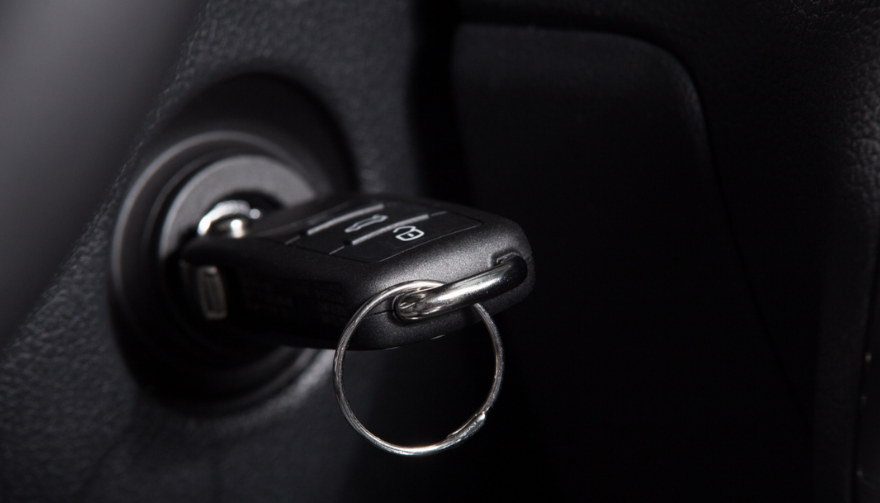
 

3. How to use replacement key delivery services


Replacement key delivery refers to services that cut and program a new car key and deliver it (or have it fitted) to your location—whether your holiday base, airport car park or home driveway.


Steps to follow:


Have vehicle details ready: make, model, year, registration number, VIN if available. 

Choose service: For UK and travel users, many auto-locksmiths offer mobile services that come to you. 

Confirm delivery logistics: Where is the vehicle parked? Will you be present when the key is delivered or fitted? If abroad, is the company able to support your location? 

Understand key type: Basic mechanical, transponder chip key, keyless fob—all vary in price and logistics. 

Check old key de-activation: A top provider will delete the lost key’s code so it cannot be used in future—critical for security. 


Why this is often your best path while travelling


Going via your vehicle manufacturer dealer is often slower and pricier — as UK guide notes: “The quickest and least expensive way … is via an auto locksmith.” 

In a foreign locale, a mobile specialist or key-delivery service saves towing the vehicle and waiting for factory part shipment.
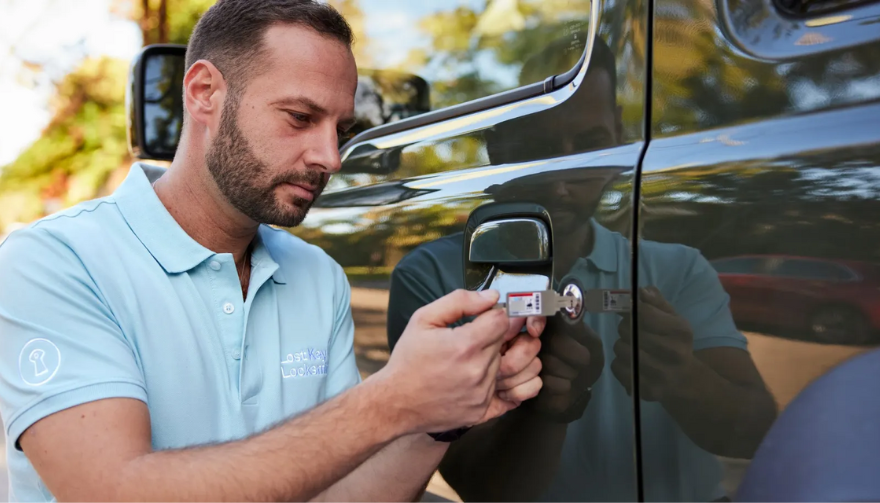


4. Hiring an emergency locksmith: what to look for


When you’re locked out or stranded, an emergency locksmith (24-hour) can be your lifeline. But not all are equal.


Checklist:

Confirm they specialise in auto locksmith / car key replacement, not just domestic locks. 

Ask for credentials (affiliation with industry body).

Insist on proof they will delete/pair the key to your vehicle (so lost key becomes useless). 

Understand travel/overseas call-out charges.

Before arrival, ask for an estimate and payment process (card, cash etc.). Some holiday locales only accept cash. 

Stay with your vehicle in a safe public place. If you are on a remote vacation site, move to well-lit area before the locksmith arrives.


Typical process:


The locksmith arrives, verifies ownership (ID + logbook/V5C). 

They cut and/or program a key, or fix the lock/immobiliser if required.

You pay for service and receive the new key — vehicle is back on the road.


5. Insurance, roadside cover and overseas travel issues


Insurance/key cover

Do you have lost key cover? Most UK car insurance policies don’t include lost keys as standard. You might need a premium add-on. 

If you claim, your no-claims bonus may be affected. 

Breakdown/roadside assistance

Your breakdown provider (e.g., Motorway or RAC) may offer key services, but often their vans don’t carry full key-programming equipment. So an auto locksmith still may be needed. 

Travelling abroad

Check if your insurance/cover extends to the country you’re in.

Confirm language support and local currency charges with any service you call.

If you rented the car: contact the rental company immediately — they may have specific protocols for lost keys (often expensive). 


6. Special cases: rental vehicles, keyless entry & fobs


Rental vehicles


When you lose the keys to a hire car abroad, you are likely to be liable for high fees. Rental companies will likely charge for towing and replacement, not just the locksmith. According to travel forums:


“We do not offer coverage for lost keys… The replacement fee of $125 for lost key.”  

Call the rental agency, follow their instructions, and keep all receipts.


Keyless / smart keys & modern cars


Most vehicles since 2000 use transponder chips or keyless systems. Replacement these can cost several hundred pounds—UK guides show typical range from £100–£300 or more depending on brand. 

When you lose a keyless fob, you may need the original still in possession or need the vehicle brought to the dealer. Factor this potential delay into your travel plans.


Single key left


If you only have one remaining key, treat it as your last key. Get a spare made ASAP once you’re home so you’re not in the same situation again.


7. Preventative measures for your next trip


Always carry a spare key at home or with a trusted person.

Use a tracker (such as an AirTag or Bluetooth key-tracker) on your keyring. UK blogs suggest this simple tech helps locate lost keys. 

Establish a routine spot where you place your keys at the start of every journey.

If you have old keys (house + car), don’t mix them during travel.

Note down your vehicle details (make, model, registration, VIN) in your phone before travelling—so you’re ready if you need a replacement.

For holiday car hire, take a photo of the key and keep the rental company’s emergency phone number saved.


FAQ


Q: What happens if I lose my only car key and I’m abroad?

A: You’ll need to contact an auto locksmith or dealer who can cut and program a new key. Have vehicle details ready. Expect cost and waiting time to increase since you have no spare.

Q: Can I just use a dealer to replace the key?

A: Yes, but often it’s slower and more expensive. UK guides claim mobile auto locksmiths are typically faster and cheaper. 

Q: How long does replacement take?

A: For many modern cars, the physical key can be cut quickly, but programming and blank arrival may take days. Dealers might take up to weeks. 

Q: Will my car insurance cover a lost key?

A: Only if you have key-cover added or your insurance includes it—not standard. Check your policy. Claiming may affect your no-claims status. 

Q: What should I do if I lose the key and my car is locked in a remote place?

A: First make sure you are safe. Then use your breakdown/roadside cover to move the vehicle to a safe area if needed. Then call an emergency auto locksmith to attend and provide a replacement.


Need a reliable solution now? Visit our shop at mr-key.com to discover how we can cut and deliver replacement car keys swiftly—even when you’re travelling.

Related Posts

Why Your Car Remote Isn’t Working and How to Fix It

Why Your Car Remote Isn’t Working and How to Fix It

Car remotes have become an essential part of modern vehicle ownership, offering convenience and added security. However, when they stop working, it can lead to frustration and delays. If you’ve ever faced a malfunctioning car remote, don’t worry—you’re not alone. Here’s a guide to help you understand the common reasons why your car remote might fail and how you can fix the issue quickly and affordably. 1. Dead Battery: The Usual Suspect One of the most common reasons for a non-functional car remote is a dead battery. Over time, the small coin batteries in your remote lose their charge, making the remote unusable. Signs of a Dead Battery: Reduced range, inconsistent functionality, or complete failure to respond. How to Fix It: Replace the battery with a compatible CR-type coin battery. Check your car manual or the remote’s casing for the correct battery type. Pro Tip: Always keep a spare battery in your glove compartment to avoid getting stranded. 2. Signal Interference: The Invisible Barrier Signal interference can block communication between your remote and your car. This can happen in areas with high electromagnetic activity or if the remote’s signal is weakened. Common Causes: Proximity to cell towers, Wi-Fi routers, or even other key fobs . How to Resolve It: Move closer to your car and try again. Change your location if you’re in a crowded parking area. Keep your remote away from other electronic devices that might cause interference. Prevention Tip: Avoid storing your car remote near electronics when not in use. 3. Remote Needs Reprogramming Sometimes, a car remote loses its programming, which is essential for communicating with your car. This can happen after battery replacement, electrical system resets, or software glitches. Signs Your Remote Needs Reprogramming: The buttons don’t respond, or the remote only works intermittently. What You Can Do: Check your car manual for DIY reprogramming instructions. If DIY methods fail, consult a professional locksmith or your car dealer for assistance. Pro Tip: Always reprogram your remote immediately after replacing its battery to avoid compatibility issues. 4. Physical Damage: More Than Just Wear and Tear Daily use, accidental drops, or exposure to moisture can damage your car remote, leading to malfunction. The internal components, such as the circuit board, are particularly sensitive. Signs of Damage: Cracks on the casing, loose buttons, or water ingress. How to Address It: For minor issues, replace the remote casing or repair loose buttons. If the circuit board is damaged, you’ll need a replacement remote. Preventative Measures: Use a protective key cover to shield your remote from damage. Keep your remote away from water and extreme temperatures. 5. Faulty Car Receiver: The Problem Isn’t Always the Remote In some cases, the issue lies with your car’s receiver rather than the remote. If the receiver is damaged or malfunctioning, it won’t recognize signals from the remote. How to Diagnose: If multiple remotes fail to work with the same car, the receiver might be the issue. Test your remote on a similar vehicle, if possible, to rule out the remote as the problem. How to Fix It: Consult a professional mechanic to inspect and repair the car’s receiver system. General Tips to Keep Your Car Remote Functional Prevention is better than cure, especially when it comes to car remotes. Here are some tips to avoid future issues: Regular Maintenance: Inspect your remote periodically for wear and tear. Store It Safely: Keep your remote in a safe, dry place to avoid accidental damage. Backup Plan: Always have a spare key or remote handy for emergencies. Invest in a Tracker: Attach a Bluetooth tracker to your remote for easy location if it gets misplaced. When to Seek Professional Help While many car remote issues can be resolved with DIY methods, some problems require professional assistance. If your remote still doesn’t work after troubleshooting, consult a locksmith or an automotive specialist. They can help with repairs, replacements, and reprogramming at an affordable cost. Don’t Let a Faulty Remote Slow You Down A malfunctioning car remote can be a hassle, but most issues are fixable with a little know-how. Whether it’s a dead battery, signal interference, or physical damage, understanding the root cause will help you resolve the problem efficiently. With proper care and maintenance, your car remote will continue to offer the convenience and security you rely on every day.

How to Upgrade Your Car Key: A Step-by-Step Guide

How to Upgrade Your Car Key: A Step-by-Step Guide

Upgrading your car key can significantly improve your vehicle’s security and make your daily routine more convenient. Whether you’re upgrading from a basic key to a remote key or stepping up to a smart key, this guide will take you through the entire process, step by step, ensuring a smooth transition. Understanding Your Key Type Before you start the upgrade process, it’s important to know which type of key you currently have. Here are the most common key types: Traditional Metal Keys : These are basic, mechanical keys, common in older vehicles. They don’t have any electronic components. Transponder Keys : These have an electronic chip inside the key head that communicates with the vehicle’s computer system for added security. Remote Keys : These keys have buttons to lock/unlock the doors remotely and usually have a physical blade as a backup. Understanding your current key type will help guide your decision on the best upgrade path. Choosing the Right Upgrade Once you know what type of key you have, you need to decide what features you want in your upgraded key. Some options to consider are: Remote Locking : Allows you to lock/unlock the doors from a distance. Keyless Entry : Lets you unlock the car without taking the key out of your pocket. Smart Key : Offers advanced functions such as proximity unlocking, push-button start, and remote engine start. Take some time to research the options available for your specific car model. Many car manufacturers offer compatible upgrades for different key types, so it’s important to consult your dealership or a trusted locksmith for recommendations. Gathering What You’ll Need Before starting the upgrade process, make sure you have the following materials: The New Key : This could be a transponder key, remote key, or smart key. Your Original Key : You’ll need this as a reference throughout the process. Key Programming Device : Some keys require a special device to pair the key with your car. Car Manual or Programming Guide : It’s always a good idea to have your car’s manual handy for specific instructions. Having everything ready will make the process much smoother. Step-by-Step Upgrade Process Purchase the New Key Start by purchasing your new key. You can buy it from your car’s dealership, a certified locksmith, or a trusted online retailer. Make sure that the key is compatible with your vehicle’s make and model. Transfer Electronics (if necessary) If your new key is just a shell, you will need to transfer the internal components from your old key. This includes the transponder chip and, if applicable, the key blade. Be careful when transferring the electronics to avoid any damage. Program the Key Programming the new key is crucial for it to work with your vehicle. Here’s a general guide: Insert the original key into the ignition and turn it to the ON position. Quickly remove the original key and insert the new key. Turn the new key to the ON position and wait for the security light to turn off. This might take a few minutes. Test the New Key After programming, it’s important to test the new key to ensure everything works properly. Check the following functions: Locking and unlocking the doors Starting the engine Any additional functions like remote trunk opening or proximity unlocking Troubleshooting Common Issues If your new key isn’t working as expected, don’t worry! Here are some common problems and their solutions: Key Not Recognized : Check if the transponder chip is properly placed in the key. Key Doesn’t Start the Car : Double-check the programming steps to ensure everything was done correctly. Buttons Don’t Work : Verify that the battery in the new key is properly installed and functional. If the problem persists, it’s best to consult a professional locksmith or visit your dealership for further assistance. Upgrading your car key is an excellent way to improve both the security and convenience of your vehicle. By following these steps, you’ll be able to transition smoothly to your new key. If you run into any issues, don’t hesitate to reach out to a professional locksmith who can help you along the way. Enjoy the benefits of your new car key and the added peace of mind that comes with enhanced security.

Key Fob vs. Transponder vs. Smart Key: What’s the Difference?

Key Fob vs. Transponder vs. Smart Key: What’s the Difference?

Unlocking the Modern Car Key In the past, a car key was a simple piece of metal. You inserted it into the door, turned it, and the car unlocked. You repeated the process in the ignition to start the engine. Today, however, a car key might be a sleek device that never even leaves your pocket. It may unlock your doors remotely, start the car with a button, or communicate with your vehicle without you even touching it. This evolution in key technology has introduced convenience, security, and — for many drivers — a bit of confusion. What kind of key do you actually have? Is it a transponder key , a key fob , or a smart key ? And why does it matter? In this blog, we break down each type of modern car key, explain how they work, and highlight what makes them different — so you can better understand, maintain, and protect the device that starts your vehicle. What Is a Transponder Key? The transponder key was the first major step toward electronic vehicle security. Introduced in the 1990s, it features a small microchip embedded in the plastic head of a standard metal key. This chip communicates with the car's immobilizer system. When you insert the key into the ignition and turn it, the car sends out a low-frequency signal. If the chip responds with the correct, pre-programmed code, the vehicle starts. If the code is incorrect — or missing — the car won’t start at all. Key characteristics: Looks like a traditional key Contains a passive chip (no battery needed) Requires physical insertion and turning Designed to prevent hotwiring and unauthorized key copies Transponder keys are still widely used, especially in vehicles produced between the late 1990s and early 2010s. They’re simple, reliable, and provide basic but effective protection against theft. What Is a Key Fob? The term key fob typically refers to a small, handheld remote that controls access to your car without inserting a key into a lock. Most modern fobs include buttons for locking and unlocking the doors, opening the trunk, and triggering a panic alarm. Some also support remote engine start. In many vehicles, the fob is attached to — or integrated with — a mechanical key that includes a transponder chip. Others are "flip keys," with a metal blade that folds inside the fob casing. Key fob features: Enables remote locking/unlocking May include a transponder chip Often includes a mechanical backup key Battery-powered (usually coin cell batteries) May include passive entry on some models Key fobs offer a balance between convenience and control. While you still need to press buttons or insert a key in many cases, they streamline the process and add useful features. What Is a Smart Key? The smart key is the most advanced and convenient type of car key available today. It communicates with your vehicle wirelessly using radio frequency or low-energy Bluetooth. As long as the smart key is within range — often in your pocket or bag — the car will unlock automatically when you touch the handle, and start when you press the ignition button. Unlike a key fob, there’s no need to press buttons or insert anything into the ignition. The system detects the key’s presence and grants access and engine start as needed. Smart key features include: Passive keyless entry (PKE) Push-button start Proximity detection Fully hands-free operation Often includes comfort access features like memory seating and climate control However, smart keys also introduce new considerations. They rely entirely on battery power, so a dead battery can temporarily disable key functions. Because smart keys are always transmitting a signal, they are also vulnerable to relay attacks , in which thieves use signal amplifiers to trick the car into unlocking. Key Comparison Table To help clarify the differences between each type of key, here’s a side-by-side comparison: Feature Transponder Key Key Fob Smart Key Physical key required Yes Sometimes (flip blade) No Remote locking/unlocking No Yes (buttons) Yes (proximity-based) Push-button start No No Yes Battery required No Yes Yes Security level Moderate High (with chip) High Common years of use 1995–2012 2000–present 2015–present Risk of relay attack None Low (in some cases) High (without signal shield) Why It Matters: Practical Impacts for Drivers Understanding what kind of car key you have can save you time, money, and stress in several situations: 1. Replacing Lost or Broken Keys Smart keys can cost anywhere from $200–$600+ to replace and usually require dealership programming. Transponder keys are cheaper and often programmable by locksmiths. 2. Diagnosing Key Issues If your car won’t start, it could be due to a dead battery in your fob or smart key. But if you have a transponder key, the issue might be with the chip or immobilizer system. 3. Security Awareness Smart keys are vulnerable to digital theft via relay attacks. If you have one, consider using a Faraday pouch or signal-blocking case to protect your vehicle while parked. Want to protect your key? Browse Mr Key's security accessories here. 4. Choosing Accessories Batteries, protective covers, signal-blocking cases, and replacement parts vary depending on your key type. Buying the wrong product can lead to frustration or compatibility issues. Know Your Key, Protect Your Car Your car key is more than a tool — it’s an entry system, a security feature, and a communication device. Whether you’re carrying a traditional transponder key, a button-operated key fob, or a proximity-based smart key, knowing the difference is the first step toward better security, smarter repairs, and fewer surprises. In a world where cars are smarter than ever, your key plays a more important role than most drivers realize. Take a moment to identify which type you have — and take steps to protect it.

Dead Pixels on a Motorcycle TFT Display: What They Mean & When Replacement Is Inevitable

Dead Pixels on a Motorcycle TFT Display: What They Mean & When Replacement Is Inevitable

Dead pixels on a motorcycle TFT display are rarely “just cosmetic”. On modern bikes, the TFT dashboard is a sealed, laminated electronic unit exposed to sun, heat, vibration, rain, and pressure washing . When pixels fail, it often signals structural damage inside the display , not a surface defect. This article explains what TFT display dead pixels really mean, why they appear, how to diagnose them correctly, and the point where replacement becomes unavoidable . What riders mean by “dead pixels” — and why it matters The term motorcycle display dead pixels is used loosely. In practice, three very different faults exist. True dead pixels (permanently black) A true dead pixel is a pixel transistor that no longer functions. It stays black on all backgrounds and during startup screens. This is a hardware failure inside the LCD matrix . It does not self-heal. Stuck pixels (fixed bright color) A stuck pixel remains red, green, blue, or white. On phones or TVs, this can sometimes be intermittent. On motorcycle TFTs, stuck pixels are often caused by heat stress or internal pressure and frequently progress into permanent failure. Lines or blocks of dead pixels A vertical or horizontal line of missing pixels is not a pixel issue. It indicates row or column driver failure inside the panel — a structural defect of the display module. Once this appears, replacement is usually inevitable. Why TFT dead pixels appear on motorcycles Dead pixels on a dashboard are rarely random. They follow consistent mechanical and environmental causes. Heat and UV exposure Motorcycle TFTs sit in direct sunlight. Daily heat cycles expand and contract the laminated layers inside the display. Over time, this stresses internal bonds and pixel drivers. A single failed pixel can become a cluster. Micro-impact and pressure A light impact that doesn’t crack the glass can still damage the internal LCD stack. This is common on naked bikes and adventure models where the display is more exposed. Moisture ingress and condensation Condensation inside a TFT display is a critical warning sign. It means the factory seal has been compromised. Moisture accelerates corrosion on connectors and display drivers, often leading to dead pixels followed by total blackout. Electrical stress Voltage fluctuations or grounding issues can contribute, but if the pixel defect appears in the same physical location across reboots , the issue is almost always panel-level, not wiring. Brand examples: how this appears in real motorcycles Dead pixel reports follow similar patterns across brands. BMW TFT clusters: pixel lines or dark zones often appear after heat exposure or condensation events. Clusters are fully integrated and typically replaced as a unit. Yamaha TFT dashboards: isolated dead pixels may appear first, followed by spreading rows on models parked outdoors long-term. Kawasaki TFT displays: line failures are commonly reported after pressure washing or heavy rain use. Honda TFT dashboards: less frequent, but once pixel clusters appear, dealers usually recommend full replacement. Across all brands, panel repair is not part of standard dealer service . Fast diagnosis: how to tell if the damage is permanent You can determine the seriousness in minutes. Check startup screens If the pixel defect appears during the boot logo or splash screen, it is hardware, not software. Test multiple backgrounds Switch themes or display modes: Always black → dead pixel Always bright or colored → stuck pixel Straight line → driver failure Look for progression A defect that grows over weeks is not stable. Progression is a replacement signal. Inspect for condensation Any fogging or haze inside the screen means moisture ingress. Pixel failure combined with condensation almost always worsens. When TFT display replacement is inevitable Replacement is not about annoyance. It’s about predictable failure . Replacement becomes inevitable when any of the following occur: A row or column of dead pixels appears Dead pixels spread over time Dead pixels appear together with condensation The defect blocks speed, warnings, or riding data The bike relies on the TFT for ride modes or system alerts At this stage, the TFT is no longer a reliable instrument cluster. Why TFT displays are rarely repaired A motorcycle TFT is not a standalone screen. It is: Laminated glass + LCD + polarizer Sealed against weather Electronically paired to the motorcycle Separating and rebuilding this stack requires specialized industrial equipment. As a result, OEMs replace the entire unit . Used clusters introduce risks: coding issues, immobilizer pairing, mileage discrepancies, and unknown moisture history. Cost reality in Europe In Europe, OEM motorcycle TFT replacement typically ranges from: €600–€1,200 for mid-range models €1,500–€2,500+ for premium or integrated systems This includes coding and calibration, not just the display itself. That’s why a small dashboard pixel issue deserves early attention. Can dead pixels be prevented? You cannot prevent internal electronic aging. You can reduce the most common triggers: Surface scratches that weaken seals Micro-impacts UV exposure Moisture pooling around edges A properly fitted screen protector does not fix dead pixels, but it reduces the external damage pathways that often lead to full TFT failure. If you want to reduce the risk of turning a small pixel defect into a four-figure repair, you can protect the display surface early — explore motorcycle TFT screen protectors at mr-key.com FAQ: TFT display dead pixels Are dead pixels dangerous? They are not dangerous by themselves, but they often indicate deeper display degradation. Can software updates fix dead pixels? No. If the defect appears in the same physical location during startup, it is hardware. Will one dead pixel spread? Sometimes. Spread is common when heat or moisture is involved. Is condensation inside the TFT serious? Yes. Condensation indicates seal failure and greatly increases the risk of progressive damage. Is replacement always required? Not for a single stable pixel. Replacement becomes unavoidable with progression, lines, or moisture involvement.

Chat with us