
Post Name


Modern motorcycles are smarter, more connected, and more expensive than ever. At the center of that evolution sits the TFT display—your bike’s digital command hub. Speed, revs, riding modes, navigation, calls, warnings. One exposed surface controls it all. And it’s far more vulnerable than most riders realise.
A motorcycle screen protector isn’t an accessory. It’s preventive maintenance. Ignore it, and you’re gambling with one of the most expensive components on your bike.

The Hidden Weak Point on Modern Motorcycles
Motorcycle manufacturers invest heavily in engines, frames, and electronics. But the TFT display? It’s still a thin, exposed panel, mounted directly in the line of fire.

Unlike a phone, it:
Lives outdoors 24/7
Takes direct UV exposure
Gets hit by dust, sand, insects, and road debris
Is cleaned repeatedly—often incorrectly

A single mistake is enough to leave permanent damage.

TFT Displays Scratch Far Easier Than You Think
Most motorcycle TFT screens are plastic-based or plastic-coated, not hardened glass like premium smartphones.
That matters.
Plastic scratches:
From dust particles wiped across the surface
From dry cloths or paper towels
From jacket zippers or gloves
Even from “careful” cleaning at fuel stops

Once scratched, there is no polish, no fix, no reset. The damage is permanent.

A motorcycle display protector absorbs this damage instead of the screen itself.
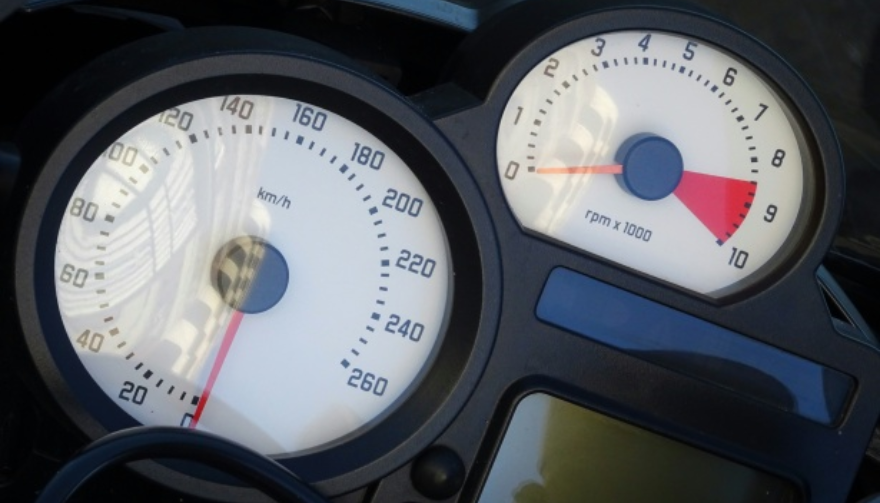


Sunlight Is Quietly Destroying Your Display
UV exposure doesn’t crack screens overnight. It does something worse.

It slowly:
Fades colours
Reduces contrast
Creates uneven patches
Permanently dulls brightness

After a few summers, the display that once looked sharp now looks tired—especially when riding in direct sunlight.
A quality bike screen protector acts as a UV barrier, preserving clarity and colour accuracy for years.

Glare Isn’t Just Annoying. It’s Dangerous.
A washed-out screen at speed isn’t just inconvenient.

It means:
Missed warning lights
Hard-to-read navigation prompts
Delayed reaction times

In bright sun, an unprotected TFT can become a mirror.
Screen protectors designed for motorcycles reduce reflections and glare, improving readability in real-world riding conditions—not showroom lighting.

Cleaning Your Screen Is Probably Damaging It
Most riders clean their TFT displays the same way they clean helmets or windscreens. That’s a mistake.

Common causes of micro-scratches:
Dry wiping
Paper towels
Window cleaners
Cloths contaminated with dust

Over time, these tiny marks add up. The screen becomes hazy. Night riding gets worse. Contrast drops.
A motorcycle screen protector takes that abuse instead—so you can replace the protector, not the display.

The Real Cost of a Damaged Motorcycle TFT Display
Here’s what many riders discover too late.

Replacing a TFT display typically costs:
€800–€1,200 for the part
Labour and coding often extra
In many cases, the bike must go to an authorised dealer

Insurance often won’t cover cosmetic damage. Scratches don’t qualify as “failure.”
A screen protector costs a fraction of that—and eliminates the risk entirely.

Resale Value Takes a Direct Hit
Buyers notice screens immediately.

A scratched or faded TFT display:
Signals neglect
Raises questions about overall maintenance
Lowers perceived value

Even if the bike is mechanically perfect, a damaged display can knock hundreds off resale or trade-in value.
Protecting the screen protects the bike’s future value.

Why Motorcycle Displays Are More Vulnerable Than Phones
It’s tempting to compare TFT displays to smartphones.
That comparison fails.

Motorcycle screens:
Are permanently exposed to the elements
Experience constant vibration
Are cleaned in uncontrolled environments
Sit at steep angles that catch sunlight

They endure more abuse in one riding season than most phones do in five years.
A dedicated motorcycle display protector is designed for exactly these conditions.

Screen Protectors Don’t Affect Touch or Visibility
A common myth: screen protectors reduce clarity or touch response.

High-quality motorcycle screen protectors are:
Ultra-thin
Optically clear
Designed for glove interaction
Precisely cut for each display shape

Once installed, most riders forget it’s even there—until it saves the screen.

Installation Is Easier Than You Expect
Modern protectors are made for DIY installation.

Typically:
No liquids required
No permanent adhesives
No tools beyond what’s included

With careful alignment, installation takes minutes—and protects the display for years.

Who Should Use a Motorcycle Screen Protector?
Short answer: every rider.

Especially if you:
Park outdoors
Ride in bright sun
Tour long distances
Use navigation or Bluetooth features
Plan to keep or resell the bike

If your motorcycle has a TFT display, it’s already at risk.
FAQ

Do motorcycle TFT displays scratch easily?
Yes. Most TFT displays use plastic-based surfaces that scratch far more easily than smartphone glass—often from normal cleaning alone.

Can a scratched motorcycle display be repaired?
No. Scratches are permanent. The only true fix is replacing the entire display unit.

How much does it cost to replace a motorcycle TFT screen?
Replacement typically costs between €800 and €1,200, excluding labour and dealer programming.

Does a screen protector affect brightness or touch sensitivity?
No. Quality protectors are optically clear and maintain full touch responsiveness.

Is a motorcycle screen protector worth it?
Considering the replacement cost of a TFT display, a screen protector is one of the highest-value protective upgrades you can make.

Can I remove or replace the protector later?
Yes. Screen protectors are removable and replaceable without damaging the original display.

Protect the Most Expensive Screen on Your Bike
Your motorcycle’s TFT display is essential, fragile, and costly to replace.
Damage doesn’t announce itself. It accumulates quietly—scratch by scratch, fade by fade—until it’s too late.

Visit our shop at mr-key.com to explore our motorcycle screen protectors and protect your display before the damage becomes permanent.

Related Posts

How to Protect Your Car’s Navigation Screen from Scratches, Glare & Fingerprints

How to Protect Your Car’s Navigation Screen from Scratches, Glare & Fingerprints

Modern cars often pack large touchscreens into the dash, and keeping these displays clear is key to enjoying every drive. A single scratch or dirty spot can make maps and menus hard to read. Car insurers warn that infotainment screens are surprisingly fragile – even a small dent or scratch can disable parts of the system . Worse, replacing a built-in navigation unit can cost thousands and take weeks . The good news? A little proactive care goes a long way. Interior dashboards are loaded with touchscreens that easily pick up scratches and smudges. For example, a high-quality navigation screen protector can shield your display from daily wear . These protectors are often made of tough 9H-tempered glass with an oleophobic coating (to repel fingerprints) and an anti-glare matte finish . A properly fitted protector keeps your screen looking brand-new and makes cleaning simpler. Invest in a Quality Screen Protector Choose the right fit Get a protector cut for your car’s make and model so it covers the entire display without blocking cameras or buttons. Hydrogel protector over tempered glass A hydrogel navigation screen protector is the best modern option for car screens. Unlike tempered glass, hydrogel film is flexible, ultra-thin, and self-healing — meaning small scratches disappear on their own over time. Hydrogel also fits curved or irregular screens better, doesn’t crack or chip like glass, and offers excellent clarity with strong anti-scratch and anti-glare properties. It maintains perfect touch sensitivity and blends seamlessly with the original display. To understand the real differences between hydrogel film and tempered glass — and which one offers the best long-term protection for your car — check out our detailed comparison guide: Hydrogel vs Tempered Glass Navigation Protectors Comparison . Anti-glare & oleophobic coatings Many navigation screen protectors include a matte, anti-glare surface. This scatters harsh sunlight and helps repel fingerprints and oil. (Some even advertise oleophobic layers that resist smudges.) Installation matters Follow the instructions carefully (clean the screen first, align the film, and smooth out bubbles). A misaligned or bubbled protector can itself cause visibility issues. Installing a car screen protector isn’t just about preventing scratches. It also helps maintain screen clarity over time. As one Tesla owner discovered, adding a new glass protector made even a worn, glare-prone screen “look almost new again” If you’ve already chosen a hydrogel protector and want to install it correctly, follow our step-by-step guide on how to install a hydrogel navigation screen protector . Clean Your Screen the Right Way Fingerprints, dust and grease are everyday enemies of visibility. But cleaning improperly can do more harm than good. Follow these expert tips: Use a microfiber cloth Wipe the screen with a soft, clean microfiber towel – even better if it’s dedicated just to your screen . This gentle fabric removes oils without scratching the glass. Spray cleaner on the cloth, not the screen If you need liquid cleaning, lightly mist it onto the cloth first. Never spray cleaners or water directly onto the touchscreen . Too much liquid or harsh chemicals can seep into seams or damage any oleophobic coatings. Avoid household glass cleaners Standard window cleaners (with ammonia or alcohol) can strip away protective coatings or damage the display . In fact, Car and Driver cautions that you should “avoid using household glass cleaner on your car’s touchscreen” unless you know it’s ammonia- and alcohol-free . Use fresh wipes Always use a clean side of your cloth or a new wipe on the screen. AGWS (an auto insurer) advises against using a cloth or wipe that’s already been on the dashboard or door panels – it can transfer grit and actually scratch the display Detail with precision If dirt or fingerprints linger, dampen the cloth with plain water or a gentle, screen-safe cleaner and buff in small circles. For stubborn spots, a second dry pass with the microfiber cloth will remove streaks. Wipe smudges away with a soft cloth – spraying cleaner on the cloth, not on the screen . Clean your screen each time you wash the car, or whenever you notice foggy patches. In fact, one test found that many “interior detailer” sprays (like Chemical Guys or Meguiar’s) can work just as well as specialized screen cleaners if they’re labeled safe for screens. Reduce Sunlight Glare Glare is one of the biggest complaints with modern car touchscreens. It makes maps hard to read, increases eye strain, and leads to drivers pressing harder on the display—over time, this causes wear and visible marks. To reduce glare: Install a matte hydrogel screen protector Adjust the display’s brightness and contrast Avoid cleaning with shiny or oily cloths Park with the dashboard away from intense sunlight when possible Hydrogel films help significantly because they diffuse harsh reflections without dulling the screen. Prevent Fingerprints and Smudges Touchscreens are fingerprint magnets. Oils from your hands quickly accumulate on the surface, especially on climate controls or zoom gestures. Solutions that actually work: Oleophobic coatings (built into many hydrogel protectors) Regular microfiber wipe-downs Avoid touching the screen with sunscreen or lotion on your hands Use voice commands for common actions when possible Drivers notice a big difference after installing a car navi screen protector—much fewer smudges and much easier cleaning. Protect the Screen During Everyday Use Small habits reduce long-term wear: Remove rings before using the touchscreen Don’t store hard objects (keys, coins) near the display Keep dust off the dashboard Avoid pressing with fingernails Use steering-wheel controls when possible Tiny scratches add up, especially on softer automotive materials. FAQ What is the best way to protect a car navigation screen? Installing a car-specific hydrogel screen protector provides the best protection against scratches, glare and fingerprints. Do hydrogel protectors really self-heal? Yes. The top layer softens slightly with heat and pressure, allowing micro-scratches to fade within minutes. Do these protectors affect touch sensitivity? No. Hydrogel films are extremely thin and designed to preserve the original touchscreen response. Can I install a screen protector myself? Hydrogel films are easy to install because they are flexible and bubble-resistant. Most people complete the installation in minutes. Will a protector reduce screen brightness? A high-quality hydrogel film maintains screen clarity while reducing harsh glare. Do car manufacturers recommend screen protectors? Many dealerships now advise using some form of screen protection due to rising replacement costs and increasing touchscreen sizes. Which Cars Benefit Most Some car brands benefit disproportionately from hydrogel screen protection — especially large-format touchscreens in premium models. If you want the full breakdown of the top models for 2025–2026, see our detailed guide on which cars benefit most from hydrogel navigation protection . To protect your own car’s screen from scratches, glare and fingerprints, visit our shop at mr-key.com . Related Guides How to Install a Hydrogel Navigation Screen Protector Which Cars Benefit Most From Hydrogel Navigation Protection? (2026 Overview) Hydrogel vs Tempered Glass Navigation Protectors Comparison

How to Program a Car Key: A Step-by-Step Guide

How to Program a Car Key: A Step-by-Step Guide

Lost Your Car Key Programming? Here's What to Do Have you ever lost your car keys or found yourself with a spare key that doesn’t start your vehicle? While the process of programming a car key might seem intimidating, it’s often simpler than you’d expect. In many cases, car owners can program keys themselves without needing a visit to a dealership. This guide walks you through the essentials of car key programming, helping you save time, effort, and potentially a significant amount of money. Understanding Car Key Programming: The Basics Car key programming is the process of syncing a key with a car's internal computer so it can communicate securely. Modern vehicles use transponder keys or smart keys equipped with chips that emit a unique signal. Without proper programming, these keys won’t function, even if they fit perfectly into the ignition. While older mechanical keys didn’t require programming, today’s advanced systems add a layer of security, reducing the risk of car theft. However, this added sophistication means that replacing or reprogramming a key is no longer as simple as cutting a piece of metal. Quick Tip: Check your vehicle’s owner manual to see if programming your car key is a DIY-friendly process, as some models allow self-programming, while others require professional tools. Step-by-Step Guide to Programming a Car Key Before starting, ensure you have all necessary tools and information: The vehicle’s owner manual. All keys that need programming, including the functional ones. Step 1: Access Programming Mode Start by sitting in the driver’s seat with all the doors closed. Insert the already functional key into the ignition and turn it to the “on” position (do not start the engine). Some vehicles require you to cycle the key between “on” and “off” positions a specific number of times to enter programming mode. Step 2: Add the New Key Once in programming mode, remove the functional key and quickly insert the new key into the ignition. Turn it to the “on” position. The vehicle’s security light may flash to indicate the key has been successfully programmed. Step 3: Test the Key After programming, remove the new key and test it to ensure it can start the car and unlock the doors. Note: Each car manufacturer has unique programming steps. Be sure to consult your owner’s manual or the manufacturer’s website for specific instructions. When Professional Help Is Needed While many vehicles allow for DIY key programming, others require specialized equipment or software that only dealerships or locksmiths can access. This is particularly true for luxury or high-end cars with advanced encryption and security features. If your DIY efforts fail, it’s best to seek help from a certified professional. Visiting a dealership is a reliable, albeit more expensive, option. Alternatively, professional locksmiths often provide programming services at a lower cost, making them a practical choice for many drivers. Costs and Considerations The cost of programming a car key varies significantly based on the vehicle’s make and model. For basic models, self-programming might cost nothing if you already have a functional key. However, professional programming can range from $50 to $300 or more, especially for smart keys or proximity fobs. To minimize costs: Have a spare key : Always keep a functional spare to simplify programming if a replacement is needed. Research costs : Call local locksmiths or dealerships to compare pricing. Empower Yourself with Knowledge Programming a car key doesn’t have to be a daunting task. With the right tools and information, many car owners can handle the process themselves, saving time and money. However, it’s essential to recognize when professional assistance is necessary, particularly for complex key systems. By understanding the basics of car key programming and following a step-by-step approach, you can ensure your vehicle remains secure and functional. So, whether it’s a spare key or a replacement, you now have the confidence to tackle the task or know where to turn for help.

Pioneering Innovations in Cars: A Journey Through 150 Years

Pioneering Innovations in Cars: A Journey Through 150 Years

The automotive industry has undergone extraordinary changes in the last 150 years. From the earliest steam-powered engines to today’s smart, electric vehicles, cars have become symbols of innovation, convenience, and human progress. This article explores the most groundbreaking innovations that have defined car history, driving us into the future. 1. The Birth of the Car (Late 19th Century) The late 1800s marked the beginning of the automobile industry with the invention of the first cars. Key Milestone: Karl Benz’s creation of the Benz Patent-Motorwagen in 1885-86 was a game-changer. Impact: For the first time, individuals could travel independently without relying on horses or trains. This innovation laid the foundation for a new era of personal transportation. 2. The Rise of Mass Production (Early 20th Century) The early 1900s brought cars to the masses through assembly line production. Key Milestone: Henry Ford’s introduction of the moving assembly line in 1913 revolutionized car manufacturing. Impact: Cars became affordable and accessible to ordinary people, leading to the widespread adoption of automobiles. The Model T became a symbol of this industrial transformation. 3. The Era of Safety Innovations (1950s–1970s) As cars became common, safety innovations took center stage. Key Milestones: Seatbelts: Volvo introduced the modern three-point seatbelt in 1959. Airbags: Developed in the 1970s to provide additional protection during crashes. Impact: These innovations drastically reduced injuries and fatalities, making cars safer for all passengers. Safety continues to be a driving force behind car innovations today. 4. Fuel Efficiency and Environmental Consciousness (1980s–2000s) The late 20th century witnessed a shift towards eco-friendly car innovations. Key Milestones: Introduction of hybrid cars like the Toyota Prius (1997). Stricter emission regulations led to cleaner, more efficient engines. Impact: Consumers and manufacturers started prioritizing fuel efficiency and reducing environmental impact. This period laid the groundwork for the electric car revolution. 5. The Digital Revolution in Cars (2000s–2020s) Modern cars are no longer just machines; they’re smart devices on wheels. Key Innovations: GPS Navigation: Real-time navigation made travel simpler and safer. Infotainment Systems: Touchscreens and voice controls for entertainment and information. Driver Assistance: Features like parking sensors, adaptive cruise control, and collision alerts. Impact: Technology has transformed driving into a more connected, comfortable, and efficient experience. 6. Electric and Autonomous Cars (The Future is Here) The future of cars lies in sustainability and autonomy. Key Innovations: Electric Vehicles (EVs): Companies like Tesla popularized EVs, offering zero-emission driving. Autonomous Driving: Self-driving technology is advancing rapidly, promising safer and more efficient transportation. Impact: Electric and autonomous cars represent a monumental leap towards reducing environmental impact and redefining mobility. The next 50 years will likely see even bolder transformations. From steam engines to self-driving electric vehicles, the car has come a long way. Each era brought innovations that shaped not just how we travel but also how we live. As technology continues to evolve, the possibilities for cars seem endless. Whether it’s improving safety, reducing emissions, or offering autonomous capabilities, cars will remain at the heart of human progress.

How to Identify Your Key Type for Easy Replacement

How to Identify Your Key Type for Easy Replacement

Replacing a lost or broken key might seem straightforward, but identifying the correct type of key is crucial to getting an exact replacement. Whether you need a car key, a house key, or even a cabinet key, each type has specific features that determine its function and fit. Here’s a step-by-step guide to understanding your key type, so you can save time and avoid unnecessary frustration when ordering a replacement. Why Key Identification is Important Keys come in many shapes and sizes, each designed for specific types of locks. Understanding your key’s unique characteristics ensures you get the right replacement and avoid wasted time or money on mismatched keys. Avoid Extra Costs : Ordering the wrong key can mean additional fees for reordering. Save Time : Getting the right key from the start saves the hassle of sending it back and waiting for the correct replacement. Enhance Security : Accurate key identification ensures your security by avoiding compromised, incorrect key fits. Types of Keys: Which One is Yours? Understanding the different types of keys can help you determine what you have. Here are the common types and what makes each unique. 1. Household Keys Household keys are typically designed for residential locks like front doors, back doors, and garage doors. These keys are often small and have either a single or double-sided cut pattern along the edges. Some household keys are unique in design, making them specific to a particular lock type. Common Features : Smaller, single or double-sided cuts. Typical Use : Standard residential door locks, such as deadbolts and knob locks. Tip : Look for any identifying numbers or letters on the key itself. These may indicate a specific lock series, making it easier to identify. 2. Car Keys Car keys come in various styles, depending on the make, model, and year of the vehicle. While older cars may use basic metal keys, most modern vehicles use transponder keys or fob keys with embedded chips for added security. Basic Car Keys : Metal keys without electronic components. Transponder Keys : These have a small chip embedded in the head, which communicates with the car to prevent theft. Key Fobs : Some cars use a fob that contains a keyless entry system, which requires programming specific to your vehicle. Tip : If your car uses a transponder or fob key, you may need assistance programming the replacement. 3. Padlock Keys Keys for padlocks can be small and compact, with a straightforward design. These keys often have a unique series number printed on them, making it easier to match them to a specific lock model. Common Features : Small size, usually single-sided. Typical Use : Storage units, gym lockers, and outdoor gates. 4. Furniture and Cabinet Keys Furniture and cabinet keys are typically found on desks, filing cabinets, and other types of lockable furniture. These keys are generally small, with a straight or tubular shaft, and they often have numbers or letters for identification. Common Features : Compact, single or double-sided cuts, often with identification codes. Typical Use : Office furniture, personal storage, and older-style drawers. 5. High-Security Keys High-security keys are specifically designed to prevent unauthorized duplication. These keys have unique, intricate cut patterns and require special authorization for copying. Common Features : Complex, often multi-sided cuts with additional security features. Typical Use : High-security doors in residential or commercial settings, safes, and secure access points. Key Identification Tips: What to Look For Once you know the type of key, you’ll want to examine specific details that will help with identification. Here’s what to look for: Keyway and Shape : The groove pattern, or “keyway,” is specific to the key type. Take note of the key’s shape and groove configuration. Markings and Codes : Look for any numbers or letters printed on the key. These often refer to specific lock brands or key series. Size and Length : Measure your key’s length, as some keys are longer or shorter depending on the lock type. Metal Head Design : Certain keys, like car keys, may have plastic or rubberized heads, which can indicate the need for a transponder or chip inside. Steps to Identify Your Key Type Inspect for Markings : Look closely at your key for any stamped numbers, letters, or symbols. These markings can often be referenced to find a matching lock or brand series. Measure Your Key : Use a ruler or tape measure to record the length and width of your key. These dimensions can help narrow down the exact key type. Examine the Cut Pattern : Take note of the number of cuts and whether they are on one or both sides. Identify the Head Style : If it’s a car key with a transponder, the head might be plastic or rubber. Check for a Code on the Lock : Some padlocks and cabinet locks have codes printed on them that correspond to a specific key model. What to Do When You Can't Identify the Key If your key has no visible markings or the cuts are unusual, consider taking a photo to help in the identification process. For specialty keys or hard-to-identify types, you may want to seek professional help or consult a detailed online database for reference. Preventing Future Key Confusion Once you’ve identified your key, take a few steps to prevent future issues with identification. Label Your Keys : Adding a small tag with a brief description can help you remember the type of key. Keep Spare Keys in a Safe Place : Having a backup key prevents you from needing a replacement immediately. Store Key Codes or Information : If your key or lock has a series code, store it in a safe place in case you need it for future reference. Identifying your key type is essential for getting a precise replacement without unnecessary hassle. By taking the time to understand your key’s unique features, you can save both time and money when it’s time to replace it. Following these steps will help ensure that your replacement key works as smoothly as the original.

Chat with us